Make Your Christmas Mega Sale Social Media Post Stand Out This Holiday Season
If you’ve ever scrambled to create a last-minute social media post for a Christmas sale, you know the drill. You open your design app, stare at a blank canvas, and suddenly forget every good idea you ever had. The clock is ticking, the sale is about to launch, and you end up using something that feels rushed. That is exactly why having a high-quality, editable template ready to go can change how you work during the busiest time of the year.
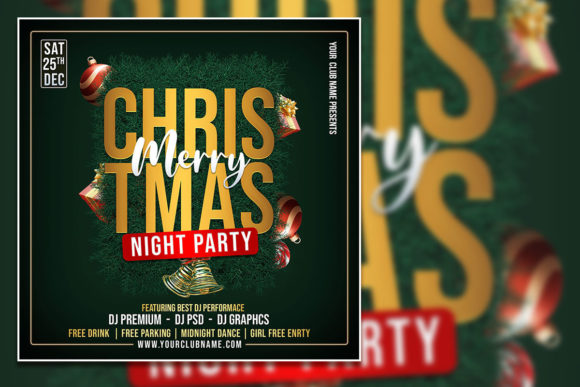
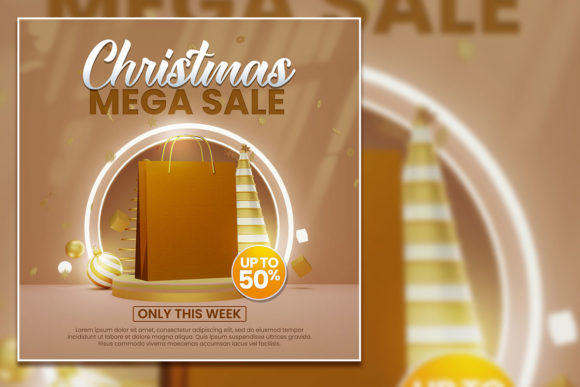
The Christmas Mega Sale Social Media Post and the matching Merry Christmas flyer template give you a professional design that is ready to customize in minutes. Whether you run a small shop, promote events, or manage social media for clients, this set of tools lets you skip the design struggle and focus on what matters: getting your message out while it is still relevant.
Where This Template Fits Into Real Life
Think about the week before Christmas. Emails pile up, orders need to ship, and you still need to post something on Instagram or Facebook that actually looks polished. The last thing you want to do is learn new design software or hunt for fonts that match your brand. This template arrives as a fully layered PSD file, sized at 2000 by 2000 pixels at 300 dpi, which means it works perfectly for both print and social media use. You open it in Adobe Photoshop, select any text layer with the text tool, and replace it with your own wording. The font download link is included in the help file, so you do not have to guess what typeface was used.
For small business owners, this is a practical shortcut. Imagine you run a boutique bakery. You want to announce a Christmas Eve special on your Instagram feed. Instead of starting from scratch, you open the PSD, swap the placeholder text with your offer details, drop in a photo of your best holiday cake, and export a JPG. The whole process takes under ten minutes. Your post looks intentional and aligned with the festive mood, not like you threw something together while waiting for dough to rise.
Multiple Ways Different People Use This Set
The beauty of an editable template is that it adapts to your context, not the other way around. Here are some realistic scenarios where this specific design works well:
Event Invitations and Promotions
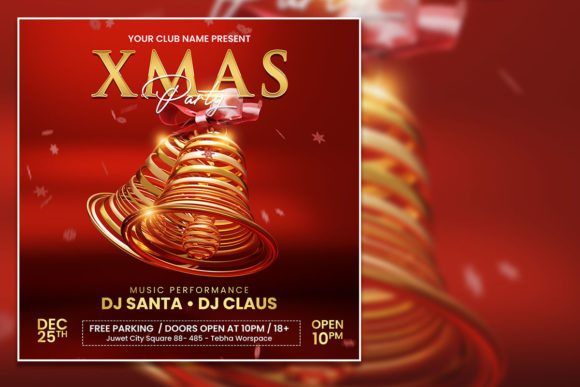
Community centers, church groups, and local organizers often need to invite people to Christmas parties, charity dinners, or tree-lighting ceremonies. The flyer template gives you a polished base where you can change the event name, date, time, and location. Because the file is fully editable, you can also adjust the color scheme slightly to match your organization’s branding. One JPG is included in the download, so you can preview your final version before sharing it online or printing copies to hang around town.
Retail and Flash Sales
If you sell products online or in a physical store, a Christmas Mega Sale social media post needs to grab attention fast. The 2000 by 2000 pixel format is ideal for Instagram square posts, Facebook feed images, and even Pinterest pins. You can highlight a percentage off, a bundle deal, or a limited-time free shipping offer. Because the template comes with organized layers, you can hide or show elements depending on how much text you need. For example, you might keep the headline bold and reduce the subtext to just the sale dates.
Service Providers and Freelancers
Hair salons, fitness coaches, photographers, and consultants also run holiday specials. A personal trainer could use the template to promote a "12 Days of Fitness" challenge starting right after Christmas. A photographer might advertise mini holiday portrait sessions. The text fields are straightforward to edit, so you do not need to be a Photoshop expert. If you can select a word and type something new, you can customize this template.
Bloggers and Content Creators
If you run a lifestyle blog or a YouTube channel, you probably post Christmas-themed content leading up to the holiday. Using this template for your social media graphics keeps your visual identity consistent while saving time. You can also repurpose the design for different platforms by adjusting the file size or cropping the main image. The high resolution means it stays sharp even when exported for print.
What to Consider Before You Download
This template works inside Adobe Photoshop. If you do not have Photoshop installed, you will need access to it before the file becomes useful. The download includes one editable PSD, one JPG preview, and a TXT help file with the font link. Make sure your version of Photoshop can open layered PSD files. Most modern versions handle this without any issue.
Because the template is fully customizable, you have control over the final look. But that also means you need to replace the placeholder photo with your own image if you want a truly unique result. The template is designed to let you drop in your own photo easily, but the quality of your final post still depends on the image you choose. Use a clear, well-lit photo that matches the festive tone of your offer.
Another factor to keep in mind is the text length. The template layout is built around a certain amount of copy. If you try to cram in too many details, it might feel crowded. Keep your message concise: a headline, a short supporting line, and the most important details like date, discount, or location. Less text often performs better on social media anyway.
How Different Users Benefit in Practice
Let’s look at a few specific user types and how they might gain real value from this template:
- Marketers and social media managers handling multiple clients during December need speed without sacrificing quality. Having a reusable template means you can batch-create posts for different accounts by swapping photos and offers. The organized layers let you keep the design consistent while personalizing each version.
- Entrepreneurs and small business owners often wear every hat in their company. You might be the person packing orders, answering emails, and also posting on social media. A template that cuts your design time from an hour to ten minutes gives you back time to handle actual customer requests.
- Hobbyists and side hustlers who sell handmade goods at holiday markets can use the flyer version to print small signs for their booth. The 300 dpi resolution ensures the text and images look sharp in print, not pixelated.
- Educators and school staff organizing a Christmas fair or a classroom party can edit the template to include event details and a school logo. It works whether you share it in a parent newsletter or post it on the school’s social media page.
Connecting Features to Real Outcomes
When a template description says "organized layers," that is not just technical jargon. It means you can click on the text you want to change without accidentally moving the background image or a decorative element. That matters when you are editing in a hurry. When the file includes the font link, it means you do not have to search for missing fonts or settle for a substitute that makes the design look off. These small details add up to a smoother experience.
The instant download aspect is also worth noting. During the holiday season, waiting even a few hours for a design can throw off your content calendar. You purchase, download, open, and edit in the same sitting. There is no back-and-forth with a designer, no revision rounds, no waiting for approvals. You are in control of the timeline.
Final Thoughts Before You Use It
This template is a tool, not a magic wand. Your offer still needs to be compelling, your photo still needs to look good, and your caption still needs to speak to your audience. But the design part of the equation becomes a solved problem. You do not have to think about alignment, color harmony, or font pairing. You just fill in the blanks with your own information and hit export.
Whether you are promoting a Christmas Mega Sale on social media, inviting people to a celebration, or creating a simple flyer to hang in your storefront, this editable PSD gives you a professional starting point. The festive look is already built in. All you have to do is make it yours.