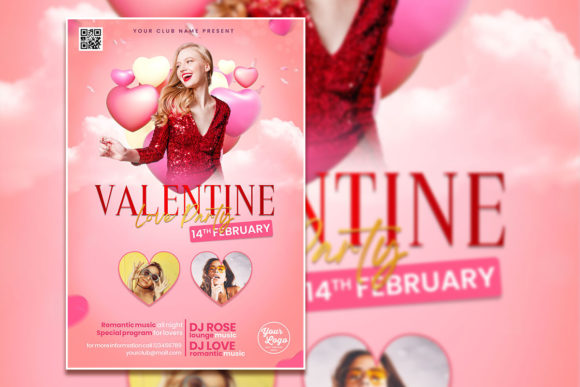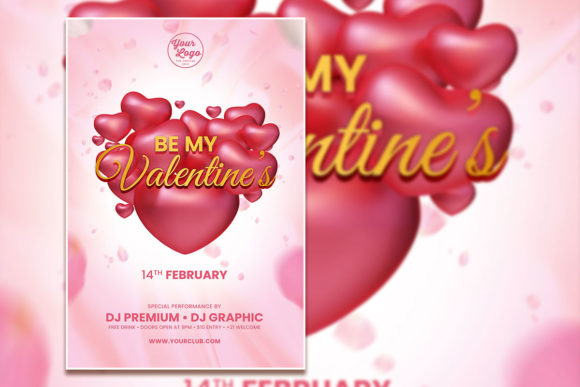
Modern Valentine's Day Poster Template – A Flexible Tool for Creators and Businesses
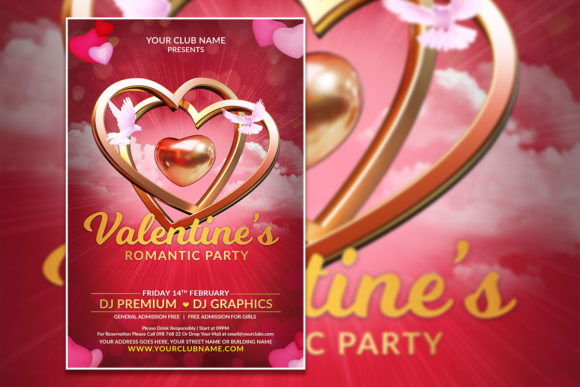
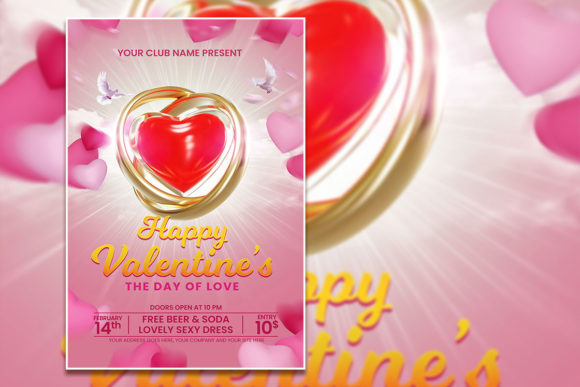
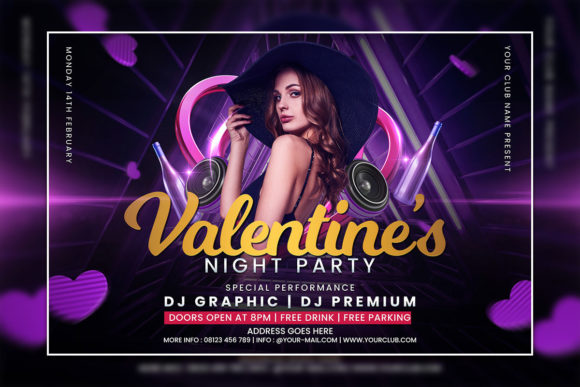
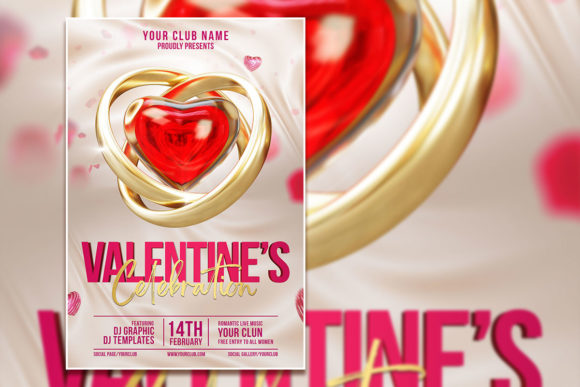
If you have ever needed to put together a Valentine’s Day promotion, event invitation, or themed announcement in a short amount of time, you already know how quickly the hours can disappear. Between choosing the right visuals, matching colors, formatting text, and making everything look polished, what should be a simple project can turn into an all-day task. That is exactly where a Modern Valentine's Day Poster Template becomes a genuinely useful asset. Designed at 2000 x 3000 pixels with 300 dpi resolution, this PSD template gives you a ready-made layout that you can adapt to almost any Valentine’s event or campaign. You can change every line of text, swap in your own photo, and adjust the design to suit your specific tone—whether that is romantic, playful, or professional.
What makes this template different from starting from scratch is the time it saves. Instead of worrying about alignment, bleed areas, or finding complementary fonts, you open the file in Adobe Photoshop, select the text layers with the text tool, and replace the placeholder copy with your own. The layered structure keeps everything organized, so you can tweak the background, move elements around, or add your own graphics without breaking the layout. The result is a flyer that looks custom-made, even if you only have basic Photoshop experience.
Where a Modern Valentine's Day Poster Template Fits Into Real Projects
A template like this is not limited to one type of user or one kind of event. Its versatility comes from the fact that you control the content. Here are some of the most common scenarios where people reach for a Valentine’s flyer template and why it works so well in each case.
Restaurants, Cafés, and Bars Planning a Valentine’s Event
If you manage or promote a food and beverage business, Valentine’s Day is one of the busiest times of the year. Whether you are hosting a couple’s dinner, a singles mixer, or a special tasting menu, you need a way to get the word out quickly. A Fully Editable Valentine’s Flyer Template lets you create a promotion that matches your venue’s brand. You can drop in a photo of your signature dish, the interior of your space, or a shot from a previous event. Change the headline to something like “Valentine’s Dinner for Two – Reserve Your Table” and update the date, time, and price. Print it out as a table tent, share it on social media, or email it to your mailing list. Because the template is sized at 2000 x 3000 pixels, it prints cleanly at 4:6 proportions, which works well for standard flyers, posters, and digital use.
Retailers and E-Commerce Shops Creating a Seasonal Promotion
Small business owners who sell gifts, jewelry, flowers, or personalized products often run Valentine’s-specific campaigns. Instead of designing a new graphic from scratch for each channel, you can use the PSD template as your base. Swap in product photos, add a discount code, and change the call-to-action. For example, a boutique selling handmade candles could use the template to advertise a “Buy One, Get One 20% Off” deal. The editable text layers make it easy to run A/B tests with different headlines or offers. Since the template comes with a JPG preview as well, you can quickly generate a version for Instagram Stories, a Facebook post, or a simple banner for your website.
Event Planners and Party Organizers
Professional event planners often handle multiple Valentine’s-themed parties, galas, or community events in February. A Valentine’s Celebration Editable PSD Template saves you from having to reinvent the visual identity for every client. You can customize the template to match the theme—think “Masquerade Valentine’s Ball,” “Valentine’s Wine Tasting,” or “Ladies’ Night Out.” Because the file is fully layered, you can change background colors, add logos, and adjust typography without affecting the overall composition. This means you can produce consistent, branded materials for different clients without spending hours on each one.
Bloggers and Content Creators Building a Seasonal Post
If you run a lifestyle blog, YouTube channel, or social media account, Valentine’s Day is a good opportunity to publish themed content. A Modern Valentine's Day Poster Template can serve as the featured image for a blog post, a thumbnail for a video, or a downloadable freebie for your audience. For instance, a food blogger might use the template to create a “Valentine’s Dessert Guide” cover, then share it on Pinterest. A relationship coach could turn it into a promotional graphic for a webinar or workshop. Since the text is fully editable, you can add your title, subtitle, and branding. The 300 dpi resolution also means that if you ever want to print a physical copy for a meetup or event, it will look crisp.
Who Benefits Most from a Fully Editable Valentine’s Flyer Template
The user base for this kind of resource is broader than you might expect. While professional designers can certainly use it as a starting point, many people who are not design experts find it especially valuable.
Freelancers and Hobbyists
Freelancers who wear multiple hats—handling their own marketing, social media, and client communications—often need visuals that look professional without consuming too much time. A template gives them a shortcut. If you are a freelance photographer, for example, you can use the template to promote a Valentine’s mini-session offer. Drop in one of your best couple portraits, add the date and pricing, and you have a flyer ready to post in local Facebook groups or share with past clients. Hobbyists who run small Etsy shops or sell at craft fairs also benefit from being able to create a polished flyer in under an hour.
Educators and School Staff
Teachers and administrators sometimes need to create announcements for school-related Valentine’s events, such as a Valentine’s dance, a fund-raiser bake sale, or a classroom celebration. A Valentine’s Flyer Template simplifies this process. Instead of piecing together clip art and text boxes in a word processor, you open the PSD, change the wording, and print. You can even involve students in the process by letting them practice editing in Photoshop, turning the template into a learning exercise about design and layout.
Nonprofits and Community Groups
Charitable organizations often run Valentine’s-themed fund-raisers, such as a “Chocolate & Roses” gala or a “Love Your Neighbor” donation drive. A professional-looking flyer helps attract sponsors, donors, and attendees. Because the template is organized into layers, you can easily insert your organization’s logo, change colors to match your brand, and add event details. The instant download format means you can start editing within minutes, which is helpful when you are working with a tight timeline or a limited budget.
What to Think About Before Using the Template
Even the best template works best when you approach it with a clear idea of what you need. Before you download and open the PSD file, consider a few practical points.
Know your audience. The design of a Modern Valentine's Day Poster Template leans contemporary, so it suits a younger or trend-conscious crowd. If your event targets an older demographic or a more formal setting, you might want to adjust the color palette, fonts, and imagery accordingly. The template gives you the freedom to make those changes, but planning ahead saves time.
Choose your photo wisely. The template allows you to replace the original photo with your own image. This is one of the most impactful edits you can make. A high-quality, well-lit photo that reflects your specific event or product will immediately make the flyer feel authentic. Avoid blurry or low-resolution images, especially if you plan to print the flyer at full size.
Think about where you will use the flyer. Print and digital formats have different requirements. For print, the 300 dpi resolution and 2000 x 3000 pixel dimensions are ideal. For social media or email, you may want to crop or resize the flyer. The included JPG version gives you a quick way to preview your design, but you can also export your edited PSD to other formats as needed.
Check your fonts. If you change the text, the template’s original fonts may or may not be installed on your computer. The product description notes that you can select text with the text tool and replace it, but you might need to choose a substitute font if the original is not available. This is a minor step, but it is worth checking early so your final design looks consistent.
Connecting Features to Real Outcomes
It is easy to list technical specifications like “organized layers” or “CMYK 300 dpi,” but those details only matter if they translate into something useful for you. Organized layers mean you can hide or rearrange elements without accidentally shifting the entire layout. That is helpful if you want to add a QR code, a logo, or an extra text block. The high resolution means your printed flyers will not look pixelated. That matters if you are handing out flyers at a networking event or posting them on a bulletin board where people will see them up close.
The instant download format is another small detail with a big practical benefit. When you are in the middle of planning an event, the last thing you want is to wait for a delivery or deal with a complicated checkout process. Having the PSD file immediately means you can start editing the same day, even if you only have a short window of time between other responsibilities.
Final Thoughts on Using a Valentine’s Flyer Template in Your Own Work
A Modern Valentine's Day Poster Template is not a magic solution that designs itself, but it is a solid foundation that removes much of the tedious setup work. Whether you are promoting a dinner special, advertising a product sale, inviting people to a community event, or creating content for your blog, the template lets you focus on the message instead of the mechanics. The fully editable text, the option to swap in your own photo, and the layered PSD structure give you control over the final look without requiring advanced design skills.
The users who get the most value from this kind of resource are the ones who treat it as a starting point, not a finished product. Take the time to customize the colors, choose a photo that connects with your audience, and write copy that sounds like you. When you do that, the template stops being a generic flyer and becomes a genuine reflection of your event, your brand, or your personal style. And in a market where people see hundreds of promotions every week, that personal touch is what makes someone pause and pay attention.