Master the Art of Holiday Event Promotion with Editable Flyer Templates
The holiday season is a whirlwind of celebration, connection, and commerce. Whether you are hosting a cozy family gathering, planning a community New Year's Eve bash, or launching a Christmas clearance sale, how you present your event matters. A well-designed flyer can be the difference between a well-attended celebration and an overlooked date on the calendar. But not everyone has the budget for a professional graphic designer or the time to learn complex design software. This is where fully editable flyer templates come into play. In this guide, we will explore how a New Year Eve Invitation Template and a Fully Editable Merry Christmas Flyer Template can transform your holiday marketing, and we will walk through everything you need to know to use them effectively.
What Are Editable Flyer Templates and Why Do They Matter?
An editable flyer template is a pre-designed digital file that you can customize with your own text, images, and colors. Unlike a static image, an editable template gives you full control over the content. The most common format for professional templates is the Photoshop PSD file, which stands for Photoshop Document. This format preserves all the layers, effects, and typography so that you can make changes without starting from scratch.
The significance of these templates in modern event promotion cannot be overstated. In a world where social media feeds are saturated with content, a striking visual can stop a user mid-scroll. Templates save you hours of work while ensuring a professional result. They bridge the gap between a DIY approach and a high-end design agency outcome. For small business owners, event planners, and even individuals planning a private party, editable templates offer an affordable, fast, and reliable solution.
The Anatomy of a High-Quality Holiday Flyer Template
Let us break down the components of a professional-grade template, such as the Merry Christmas Celebration Flyer Template mentioned in our product listing. A typical template comes with specific technical specifications that ensure it prints or displays beautifully.
Size and Resolution Matter
Our template measures 2000 x 3000 pixels at 300 dpi (dots per inch). This is a standard high-resolution size for flyers, posters, and even some social media graphics. The 4:6 ratio is classic for vertical flyers. Why does resolution matter? A 300 dpi image ensures that when you print the flyer, the text and images remain crisp and sharp. Using a lower resolution can result in a pixelated, unprofessional appearance. Even if you plan to share the flyer digitally, starting with a high-resolution file gives you flexibility for future print runs.
Color Mode: RGB vs. CMYK
The template uses RGB color mode. RGB is ideal for digital screens, such as computers, tablets, and smartphones. If you plan to print the flyer, you may want to convert the file to CMYK (Cyan, Magenta, Yellow, Key/Black), which is the standard for commercial printing. However, many modern print shops accept RGB files and handle the conversion automatically. For most users, RGB is perfectly fine for both digital sharing and home printing.
Organized Layers: The Heart of Editability
One of the most valuable features of a well-made Photoshop template is organized layers. Layers allow you to isolate different elements of the design. For example, the background, the text, the decorative elements, and the photo placeholder are all on separate layers. You can move, hide, or edit any layer without affecting the others. This makes the template incredibly user-friendly, even for beginners. You do not need to be a Photoshop expert to swap out a photo or change a headline.
How to Use a New Year Eve Invitation Template for Maximum Impact
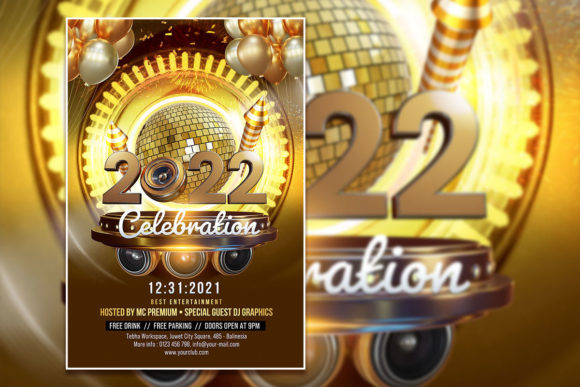
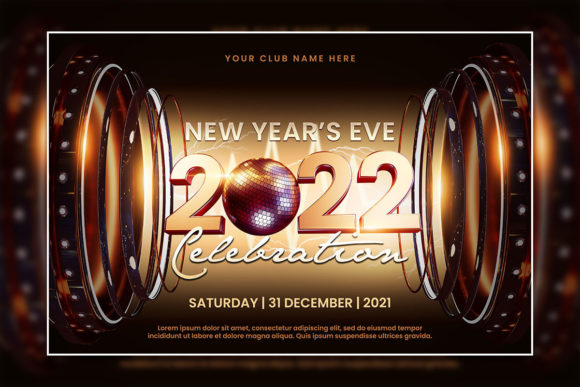
A New Year Eve Invitation Template serves a specific purpose: it invites people to celebrate the transition into a new year. The design often features glamorous typography, metallic accents, countdown motifs, and celebratory imagery. To make the most of such a template, consider the following practical tips.
Replace the Photo with Your Own Image
Our templates allow you to replace the photo with your photo for an even more customized look. Instead of using a generic stock image of fireworks, use a photo from last year’s party or a picture of your venue. This personal touch makes the invitation feel authentic and exclusive. To do this, simply open the PSD file, locate the layer labeled "photo" or "image placeholder," right-click, and choose "Place Embedded" or "Place Linked" to insert your own picture. Adjust the size and position as needed.
Edit All Text with Ease
The greatest advantage of a fully editable template is that all text can be edited. You are not stuck with the placeholder text or the original font. You can change every word to match your event details. To edit text, select the text tool in Adobe Photoshop, click directly on the text you want to change, and type your own copy. You can also adjust font size, color, and alignment. The template comes with a download link for the font included in the help file, so you can match the original typography perfectly or choose a new font that suits your brand.
Include Essential Event Details
Make sure your New Year’s Eve invitation includes the date, time, location, dress code, RSVP information, and any special instructions like "bring your own champagne" or "fireworks at midnight." A template gives you the structure; you provide the specifics. Keep the text concise and easy to read at a glance.
Leveraging the Merry Christmas Celebration Flyer Template for Sales and Events
Christmas is a busy season for both personal and commercial events. The Merry Christmas Celebration Flyer Template is versatile enough to serve multiple purposes. It can promote a church Christmas pageant, a school holiday concert, a family reunion, or a retail Christmas sale. The key is to adapt the design to your message.
Christmas Celebration Sale Flyer Template
If you are a business owner, the Christmas Celebration Sale Flyer Template is a game-changer. The holiday season is a peak shopping period, and customers are looking for deals. Use the template to highlight your discounts, bundle offers, or limited-time promotions. The festive design elements—snowflakes, holly, Santa hats, warm reds and greens—immediately communicate the holiday spirit. Pairing a seasonal design with a clear call-to-action like "Shop Now," "50% Off," or "Christmas Clearance" can drive foot traffic and online sales.
Christmas Celebration Editable PSD Template for Events
For non-commercial events, the Christmas Celebration Editable PSD Template can be customized to reflect the tone of your gathering. A formal Christmas dinner might use elegant serif fonts and muted gold tones, while a children’s party can use bright colors and playful typography. You have complete creative freedom because the template is fully editable. Do not be afraid to experiment with the color balance or swap out decorative elements from other layers.
What You Get in Your Download
When you purchase a template from our collection, you receive a complete package designed to get you up and running quickly. Here is exactly what is included:
- 1 Editable PSD file – The main Photoshop file with all layers intact and ready for customization.
- 1 JPG file – A high-resolution preview of the design, useful for quick sharing or as a reference.
- 1 TXT help file – Contains important information, including the font download link and basic editing instructions.
This package ensures that even if you have never used Photoshop before, you can follow the simple steps to edit your flyer. The help file is your quick-start guide. Open it to find the font link and any notes about the design structure.
Step-by-Step Guide to Editing Your Template
Let this walk through the editing process from start to finish. Even with no prior Photoshop experience, you can follow these steps.
- Download and unzip the template files to a folder on your computer.
- Open the PSD file in Adobe Photoshop. If you do not have Photoshop, you can use a free trial or alternative software that supports PSD layers.
- Locate the Layers Panel on the right side of the screen. Click on the layer that contains the text you want to change. It will be highlighted in blue when selected.
- Select the Text Tool from the toolbar (shortcut: T). Click directly on the text in the design. The text will become editable, and you can type your own message.
- Change the font if desired. If you want to use the original font, refer to the help file for the download link. Install that font on your computer, and it will appear in the font dropdown menu within Photoshop.
- Replace the photo by right-clicking the photo layer and selecting "Place Embedded." Navigate to your own image file and click "Place." Adjust the size by dragging the corners while holding Shift to maintain proportion.
- Save your work as a PSD file to keep the layers editable. For final distribution, save a copy as JPG or PNG.
Common Misunderstandings About Editable Templates
Some readers may worry that using a template means their flyer will look generic or unoriginal. That is a common misconception. A template is a starting point, not the final product. When you customize the text, images, and colors, the result becomes distinctly yours. Two people using the same base template can produce completely different flyers based on their choices. The structure is a framework; your content makes it unique.
Another misunderstanding is that you need advanced design skills to edit a PSD file. In reality, the most important tasks are simply selecting a text layer, typing, and placing an image. These are basic actions that anyone can learn in minutes. Templates are designed to be intuitive, with layer names that describe what each element is.
Some users also worry about font licensing. The help file includes a download link for the font, which is typically a free or licensed font for personal and commercial use. Always check the specific license terms provided in the help file, but in most cases, you are safe to use the font for your projects.
Practical Relevance: How Templates Fit Into Modern Life and Business
In our fast-paced digital world, time is the most valuable resource. Editable templates save you from reinventing the wheel for every event. For a small business, this means you can produce a professional flyer for a Black Friday sale, a Christmas promotion, and a New Year's Eve event without hiring a designer. For a busy parent planning a holiday party, a template allows you to create a beautiful invitation in an evening rather than struggling with design software for days.
The templates also support scalability. You can use the same base design for multiple events by simply changing the text and images. This builds brand consistency across your holiday communications. If you run a boutique hotel, for example, you can use a Christmas celebration template for your holiday dinner event, then repurpose a modified version for your New Year's Eve gala. Your guests will recognize your visual style, which builds trust and recognition.
Tips for Making Your Flyer Stand Out
Once you have your template edited, how do you ensure it gets noticed? First, pay attention to the headline. It should be bold, clear, and emotionally engaging. "New Year's Eve Gala" is okay; "Ring in 2025 with Style: An Unforgettable Night Awaits" is better. Use the template's text layers to craft a message that resonates.
Second, use high-quality images. The template allows you to replace the photo, so choose an image that is well-lit, in focus, and relevant to your event. Blurry or low-resolution photos undermine the professionalism of the design.
Third, consider your distribution method. A printed flyer might be posted in a community center, while a digital version can be shared on social media, emailed to your list, or posted on your website. Save the file as a JPG at 100% quality for printing, or as a PNG for digital use. The 2000 x 3000 pixel size works well for both.
Conclusion: Your Holiday Event Deserves a Great Flyer
The holiday season is a time of joy, giving, and gathering. Whether you are inviting friends to a New Year's Eve party or promoting a Christmas sale, the way you communicate your event sets the tone. A New Year Eve Invitation Template or a Fully Editable Merry Christmas Flyer Template gives you the tools to create stunning, professional designs without the stress and expense of custom design work. With organized layers, high resolution, and complete editability, these templates put the power of great design in your hands.
Remember, all text can be edited. You can replace the photo with your photo for an even more customized look. The font download link is included in the help file. Open the PSD file in Adobe Photoshop, select the text with the text tool, and replace it with your own words. With these templates, you are just a few clicks away from a beautiful flyer that captures the spirit of the season and invites others to celebrate with you.
So go ahead—download your template, open Photoshop, and start creating. Your event is worth the effort, and with the right tools, that effort is minimal. Here is to a holiday season filled with connection, celebration, and beautiful design.