Amara Power Point Template: A Versatile Presentation Solution for Modern Professionals
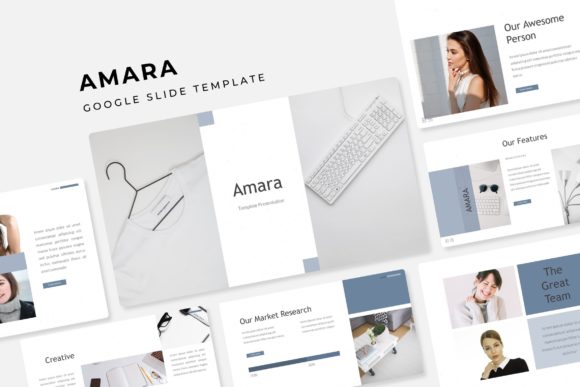
Presentations are part of everyday life for many professionals, yet building a compelling slide deck from scratch can take hours. Whether you're preparing a quarterly business review, a creative portfolio, or a pitch for a new client, the visual quality of your slides often shapes how your message is received. The Amara Power Point Template offers a robust framework for creating presentations that look polished without requiring advanced design skills.
Why a well-structured template matters more than you think
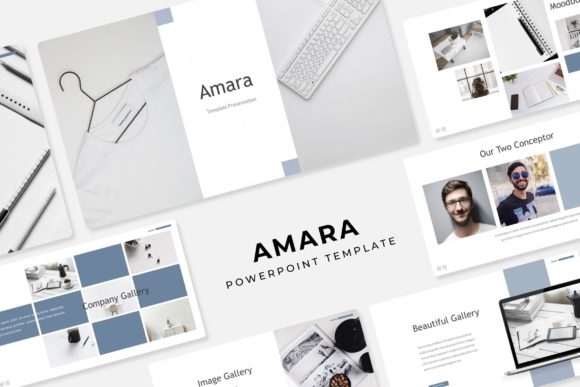
Most people underestimate how much time goes into formatting slides. You might spend thirty minutes just trying to align text boxes or match colors across slides. With Amara Power Point Template, those distractions disappear. The template provides 150 total slides across five distinct color variations, giving you plenty of room to build a presentation that feels coherent and professional.
If you've ever opened PowerPoint with a blank slide and felt stuck, you know the struggle. Having a starting point that already includes infographics, section breaks, and portfolio layouts can transform your workflow. Instead of worrying about layout, you focus on content. That shift alone makes presentations less stressful and more effective.
Pitching to potential clients
Imagine you're a freelance graphic designer pitching to a small business owner. You want to show your previous work, explain your process, and demonstrate value. The gallery and portfolio slides in this template let you drop in screenshots, case studies, or project snapshots in seconds. The drag-and-drop picture placeholders mean you don't need to crop or resize images manually. You just place them, and the template handles alignment.
For a freelancer, every hour saved on presentation design is an hour you can bill elsewhere. The five premade color options also let you match your brand without fiddling with hex codes.
Internal team updates and quarterly reviews
In a corporate setting, consistency matters. If you present to leadership every quarter, having a template that stays cohesive across multiple decks builds familiarity. Your audience knows where to look for key data points. The handcrafted infographics in PowerPoint help you visualize metrics like revenue growth, customer acquisition, or project timelines without using generic clip art.
The section break slides are especially useful here. When you move from one topic to another, a clear visual transition keeps people engaged. Instead of a jarring jump from "financial overview" to "team updates," you get a clean break that signals a shift in focus.
Portfolio reviews and creative showcases
Photographers, architects, writers, and artists often need to present their work in interviews or to potential collaborators. The Amara Power Point Template includes layouts specifically for showcasing visuals. The pixel-perfect illustrations and resizable graphics mean your images remain sharp no matter the screen size.
If you're an interior designer presenting mood boards to a client, the ability to drag and drop photos into pre-built layouts saves you from manually building every slide. You can focus on the narrative behind your design choices rather than the mechanics of the software.
How different users benefit in their own way
Not everyone approaches presentations the same way. Some people are detail-oriented and want complete control. Others just want something functional that looks good. The Amara Power Point Template serves both types.
For the detail-oriented user, the master slides feature gives you a solid foundation. You can tweak colors, adjust fonts, or rearrange elements without breaking the overall design. Because the template is based on master slides, changes you make to one slide can propagate across the entire deck. That's a huge time-saver if you decide mid-way through that your heading font needs to be larger.
For the user who just wants to get the presentation done, the drag-and-drop picture placeholders and pre-made color schemes remove most of the friction. You don't need to make design decisions. You just fill in your content, and the template does the heavy lifting.
Students working on capstone projects also find this template useful. When you're balancing classes, internships, and personal life, spending hours on slide design feels wasteful. Having 30 slides per color variation means you can pick a palette that suits your topic and build a cohesive presentation quickly.
Strengths that stand out
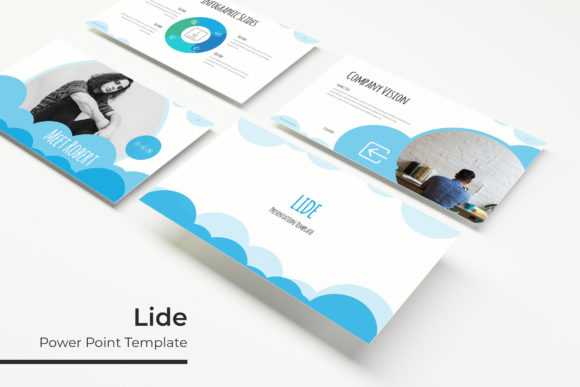
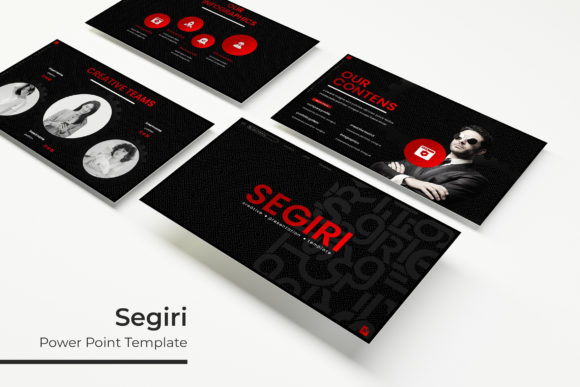
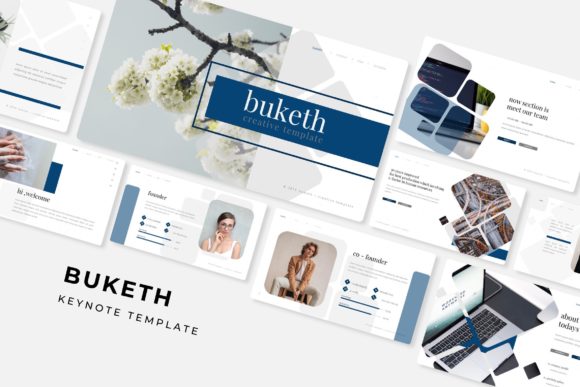
One of the biggest strengths of this template is the sheer variety. With five PPTX files and five widescreen options, you are not locked into one look. If you decide that a blue toned palette works better for a corporate audience but a warmer palette suits a creative pitch, you have the choice. That flexibility matters when you present to different groups.
The handcrafted infographics are another highlight. Many templates include data visualizations that look generic. These feel more intentional. Whether you are showing survey results, process flows, or comparison charts, the infographics add visual interest without cluttering the slide.
The fact that all graphics are resizable and editable is also practical. Sometimes you need to shrink an icon to fit a corner or enlarge an illustration to fill a slide. With this template, you can do that without losing quality.
Practical considerations before you start
While the template is versatile, there are a few things to keep in mind. The photographs or pictures in the preview are for illustration only, so you will need to supply your own images. That is typical for presentation templates, but it is worth noting upfront. Plan to have your own photos, screenshots, or stock images ready.
The template uses a specific set of fonts. The download includes a link to the free fonts used, so you will need to install them before you start editing. This is a simple step, but skipping it can lead to formatting issues if PowerPoint substitutes a different font.
If you are presenting on a device that does not have the fonts installed, the slides may look different than intended. That is something to check before you present. On the plus side, once the fonts are installed, everything works seamlessly.
Who might find the template less suitable
No template is perfect for every situation. If you need highly animated presentations with complex transitions, this template may feel too static. The focus here is on clean, professional layouts rather than flashy motion graphics.
Also, if you prefer to build presentations entirely from scratch for creative reasons, a template might feel restrictive. That said, the editable nature of the graphics and master slides gives you more freedom than most templates offer. You can strip things back or build on top of the existing structure.
For teams that use Google Slides or Keynote exclusively, the PPTX format is still compatible. You can import into those platforms, though some formatting may shift slightly. If you are a dedicated PowerPoint user, you get the full experience without any compromises.
Making the most of the template
One approach that works well is to start by browsing all five color variations. Decide which palette fits your brand or topic before you begin editing. Once you pick a color scheme, use the section break slides to outline your presentation structure. That gives you a roadmap before you fill in the details.
The gallery and portfolio slides are best used sparingly. If every slide is a portfolio page, the presentation loses impact. Use one or two dedicated slides to showcase your best work, then let the infographics and text slides carry the rest of the narrative.
Resize images before placing them into the picture placeholders. While the drag and drop function works well, images that are extremely large can slow down the file. Optimizing your photos beforehand keeps the presentation running smoothly.
Final observations on presentation design
Good presentations are not about flashy effects or complicated animations. They are about clarity, structure, and visual consistency. The Amara Power Point Template gives you a foundation that supports all three. Whether you are a business professional, a creative, or a student, having a reliable template frees you to focus on what you actually want to say.
Over time, using a consistent template also builds your visual brand. Colleagues and clients start recognizing your presentation style. That familiarity can make your message more persuasive simply because your slides look professional and put together.
If you often find yourself rushing to finish presentation slides, the 150 slide count and five color options give you room to breathe. You are not choosing between one or two looks. You have enough variety to keep your presentations fresh without reinventing the wheel every time.